
This Help topic refers to all DocuXplorer versions only when the optional QuickBooks Integration package has been purchased and installed
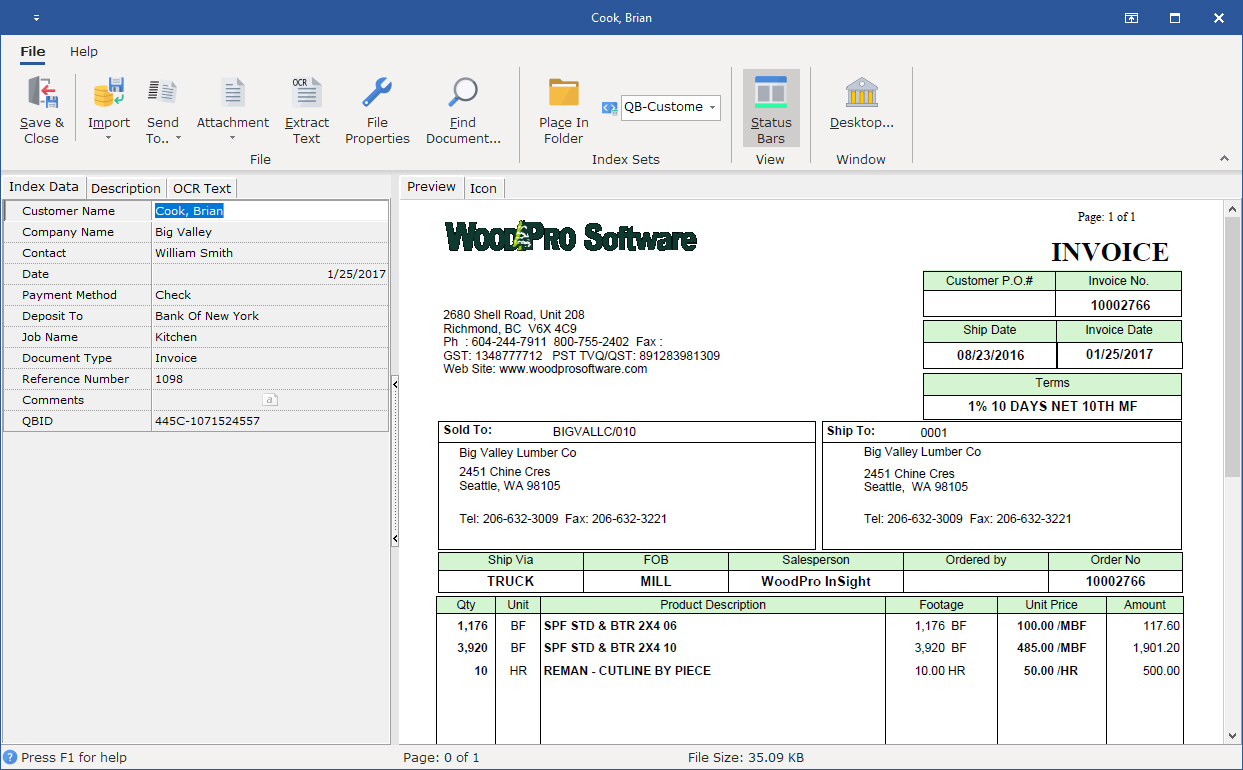
QuickBooks transaction data is used to index documents in DocuXplorer. The most relevant transaction data fields are automatically passed to DocuXplorer to identify the document. This is often all the information needed to find your transaction documents . You can add index information to other fields as desired if it serves your business process. Users can also add index fields to a QB Index Set but should not change the any pre-defined field name. Pre-defined field names are coded into the Integration Utility, any changes will prevent DocuXplorer from automatically pulling the data from a QuickBooks transaction and populating it in the pre-defined field.
|
DocuXplorer Storage Location and Associated Index Set |
QB Integrated Transactions Navigation Screens |
Data Automatically Captured |
|
Customer All customer transaction documents are stored in the Customer Drawer Associates: QB-Customer Index Set |
Estimate |
Customer Name Date Document Type Reference Number - only if a Reference Number has been included in the transaction data |
|
|
Sales Orders |
Customer Name Date Document Type Reference Number - only if a Reference Number has been included in the transaction data |
|
|
Invoice |
Customer Name Date Document Type Reference Number - only if a Reference Number has been included in the transaction data |
|
|
Sales Receipt |
Customer Name Date Document Type Reference Number - only if a Reference Number has been included in the transaction data |
|
|
Refunds and Credit |
Customer Name Date Document Type Reference Number - only if a Reference Number has been included in the transaction data |
|
|
Receive Payment |
Customer Name Date Document Type Reference Number - only if a Reference Number has been included in the transaction data Payment Method |
|
|
Deposit * *Documents added from a deposit transaction is placed in the Banking Drawer |
Deposit to Date |
|
Vendor All customer transaction documents are stored in the Vendor Drawer Associates: QB-Vendor Index Set |
Enter Bills |
Vendor Name Date Document Type Reference Number - only if a Reference Number has been included in the transaction data |
|
|
Purchase Orders |
Vendor Name Date Document Type Reference Number - only if a Reference Number has been included in the transaction data |
|
|
Receive Items |
Vendor Name Date Document Type Reference Number - only if a Reference Number has been included in the transaction data |
|
|
Receive Items with Bill |
Vendor Name Date Document Type Reference Number - only if a Reference Number has been included in the transaction data |
|
Employee All customer transaction documents are stored in the Employee Drawer Associates: QB-Employee Index Set |
Edit Employee |
Employee Name Social Security Number - only if you have allow DocuXplorer to access Social Security Numbers on installation. |
|
Banking All customer transaction documents are stored in the Bank Drawer Associates: QB-Bank Index Set |
Write Checks |
(Pay to Order of) Name (Check) Reference Number (Check) Date |
|
|
Deposit |
Deposit to Date |
|
|
Credit Card Charges |
Name Date Reference Number - only if a Reference Number has been included in the transaction data |