
This Help topic refers to the following editions:
þ Enterprise þ Professional þ Small Business.
To delete a workflow definition, Select Workflow Task Tree item | Manage Workflows.
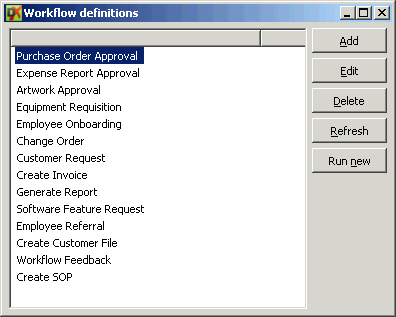
Highlight the workflow definition to be deleted, and click Delete on the right of the screen.
You may see a message that the workflow can't be deleted because it has a running instance associated with it. To clear the instances, go to the Workflow Tasks folder, then right click anywhere in the task list, and choose "View" | "Show All Tasks". Find all instances run for the definition your would like to delete, highlight them and choose "Delete Workflow" at the top of the screen.
If you delete all associated workflow instances and are still not able to delete the workflow definition, you may have orphaned workflow instances in your data caused by a programming error with your workflow definition being run as an instance during your testing period. To fix this, you will need to Perform Maintenance on your library.